

Create Your First Projection
Setup the Base of your Projection
Section titled “Setup the Base of your Projection”The Base of your projection should be the known income you have so far for the year. For our simple example, we’ll use the following:
- Filing Single
- $150,000 of W2 income (Income from their job)
- $20,000 contributed to the 401(k) (Already contributed or scheduled)
- $6,000 in interest (Estimated from last year)
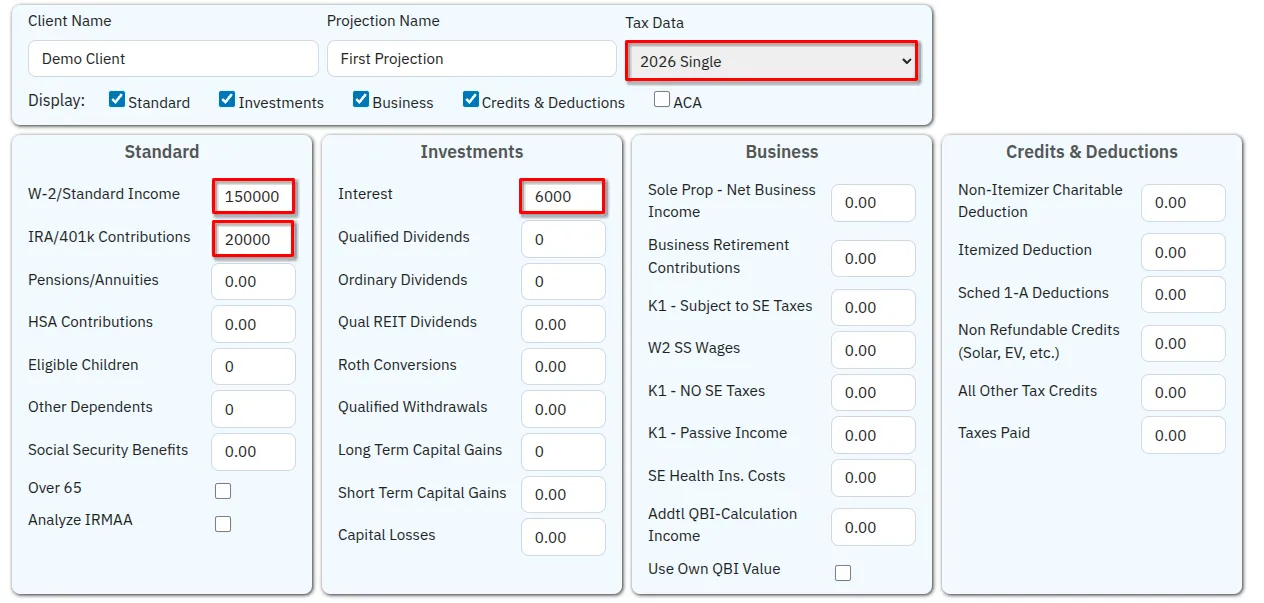
Click Submit to run the tax projection.
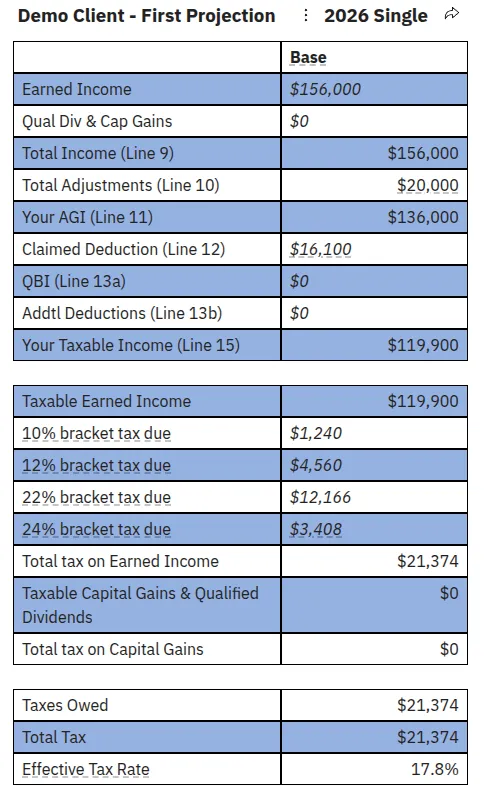
We now see the results of that projection and can analyze our expected tax burden and its breakdown by tax bracket.
Add a “What If?” Scenario
Section titled “Add a “What If?” Scenario”What if I sell a rental property and have to take $80,000 in Capital Gains? Do I have any space in the 0% capital gains bracket?
Click Add Scenario, then enter in 80000 to the Long Term Capital Gains field. You’ll notice all the base values entered copied over to this scenario automatically.

Then hit Submit.
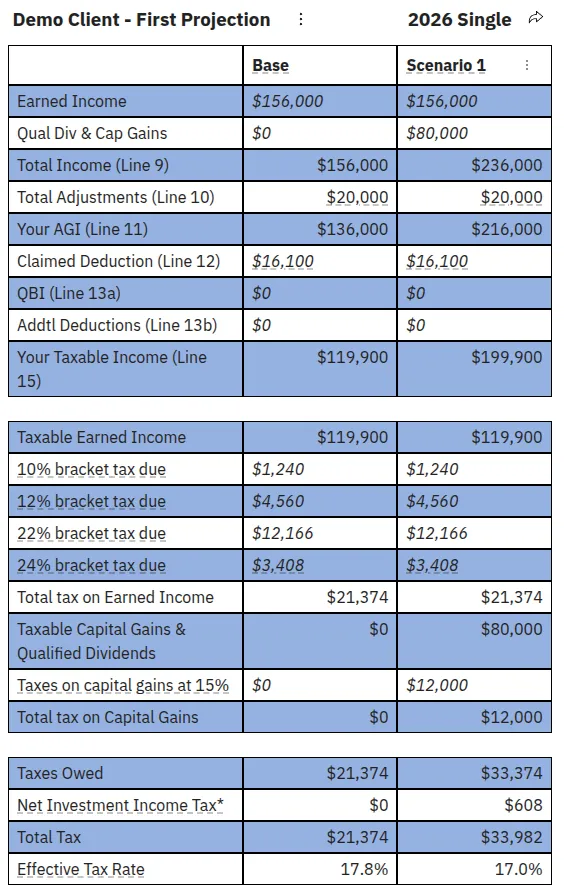
The user already has enough income to disqualify them from any 0% capital gains, and all capital gains are taxed at a 15% rate, resulting in an additional $12,000 of taxes.
However, a surprise appears - this amount of long term capital gains also trigger Net Investment Income Tax for $608.
Our user now has tax clarity on this big financial decision and knows what taxes they will owe.